AuthorCat

Open beta · free

The AI studio for storytellers

AuthorCAT — Creative Assistance Toolkit

Write the novel with a team of AI agents — then watch it fill with pictures. Behind this text: the autopilot writing a novel scene after scene, and Pride and Prejudice as AuthorCat reads it — 728 illustrations with the same faces, a story simulation, the tension curve, Elizabeth’s path.

Or try it in your browser — no sign-up

Windows 10/11 (64-bit) and Macs with Apple silicon (M1 or later).

Download from the Microsoft Store AuthorCat Bridge for Windows · Mac: download it in your account

Runs on the Claude or ChatGPT subscription you already have · no API keys

What it is

A writer’s desk with a team of AI agents

AuthorCat is a workspace for long fiction. Its agents remember the whole novel — every character, place and rule of the world — illustrate every scene in one style and see the book as a whole. They run on the Claude, ChatGPT, Gemini, Grok or Meta Muse Code subscription you already have: no API keys, no paying per token, no prompt engineering. You can start from a rough draft or a finished manuscript.

Three ways to work with the AI

  1. 01 Write it yourself.

    The AI stays beside you as a consultant, editor and prompter: it remembers the whole novel, spots contradictions, offers options.

  2. 02 Plan every scene.

    You say what happens in it — the AI turns that into prose in your own style.

  3. 03 Sketch the plot and an outline.

    The AI writes the whole novel from your plan, keeping the logic, the sequence and the characters intact.

Everything a book goes through, in one workspace

Five languages, and the AI works in yours

AuthorCat is fully localized and adapted for English, Spanish, French, German and Russian, and not just the interface. Each language has its own complete set of prompts for prose, the canon, analysis, proofreading and picture briefs, written for that language. The agents read, write and analyze your novel in your language instead of translating it into English and back.

Who it is for

For novelists and writers of long fiction

Whether your book is still a set of notes or was finished years ago.

  • You are starting from notes

    Typed notes, fragments, voice memos. The agents build the canon and a scene plan, then write scene after scene in the style of your book — together with you, or on autopilot to the end of the plan.

    Writing →
  • Your manuscript is finished

    Upload it as TXT, DOCX, DOC, PDF or FB2. AuthorCat unpacks it into scenes and a canon: analyze the plot, proofread, catch contradictions, revise with AI — or gather the facts and lay the foundation for a sequel.

    Unpacking →
  • You want pictures and readers

    A portrait and a full-length likeness of every character, views of places, dozens of pictures per scene — with the same faces in all of them. Then live-reading clips for social media and an EPUB with the pictures in place.

    Illustrations →
  • You want your book in another language

    Translation mode carries the novel into another language: a glossary of names and terms from the book’s world, a translation guide, and every block checked by an editor and a native reader.

    Translation →
Getting started

Three steps to the first scene

  1. 01

    Sign in with Google

    Free, no invitation: your first sign-in at app.authorcat.com creates the account.

  2. 02

    Install Bridge

    A small app for Windows 10/11 (64-bit) and Macs with Apple silicon (M1 or later); it connects your AI subscriptions. About four minutes — there is a “Getting started” video.

  3. 03

    Create a novel

    Paste a draft or upload a manuscript. The first scene can be ready the same day.

Start free

Features

Six stages of a book’s life in AuthorCat

One workspace carries the book from the first note to a clip on social media — and into another language. Every stage can be done by you or handed to the AI agents.

Stage 1 · Write

From notes to chapters

Bring everything you have: files, notes, a voice recording. AI agents on your subscription build the canon — everything that is true in your novel: the book passport, characters, places, rules of the world. Then they propose a scene plan and write in your style. After every accepted scene the characters and the world update themselves.

  • Three modes: free, by plan, autopilot — plus an experimental “full auto from a draft”
  • Plot simulation: play a turn as your hero and see where it leads
  • Style is calibrated on a test scene: you say what feels wrong, the style guide adjusts
Stage 1, the draft: a 36,000-character voice memo
The canon assembles from the draft in one click
Autopilot writes scene after scene — to the end of the plan
Stage 2 · Unpack

A finished novel, taken apart to the last thread

The other door: a book already written. Upload the whole manuscript: AuthorCat splits it into chapters, recovers from the text what each scene is meant to do, builds the character and place cards, the chronicle of events and the plot lines. The novel becomes as alive as one written here: analyze it, revise it, illustrate it.

  • TXT, DOCX, DOC, PDF, FB2 — the chapter breaks are recognized, boundaries can be fixed by hand
  • A short retelling of every scene: what happened, who was there, where and when
  • Unpacking runs in the background: the 61 chapters of Pride and Prejudice take a few hours of subscription models
Stage 2, unpacking: the uploaded book split into 61 chapters, boundaries edited with the mouse
Stage 3 · Analyze

Seven views of the plot

The analysis is built from the text itself, not from your notes. A retelling of every scene, the tension curve, which characters are on stage, “guns on the wall” — every promise to the reader and where it is kept, a metro map of plot lines, character paths across the map of places and a panorama of the whole novel.

  • The curve and the paths play like a film — with places, faces and key points
  • Save the playback as a video and the novel as a poster — handy for promotion
  • Unkept promises to the reader stand out at once: Pride and Prejudice has 32 lines, 25 carried through, 7 left hanging
  • The tension curve plays like a film: the place, the characters and the picture of every scene. A fragment of the workspace video

  • Guns on the wall: every promise to the reader and where it is kept

    Guns on the wall: every promise to the reader and where it is kept

  • Character paths: Elizabeth and Darcy across the map of places

    Character paths: Elizabeth and Darcy across the map of places

  • The panorama plays like a flight over the map of places: scene by scene, with a picture and the characters. A fragment of the workspace video

  • Presence: which characters are on stage, scene by scene

    Presence: which characters are on stage, scene by scene

  • Metro map: each line is a character, each station a place in a scene

    Metro map: each line is a character, each station a place in a scene

Stage 4 · Edit

Proofread and reconcile

A full proofread scene by scene, on four focuses. Give an instruction in your own words — “rename the town and fix every mention” — and the agent, having read the whole novel, brings back a pack of precise edits. Every edit is shown as “was / now” and is applied only when you confirm it.

  • Polish a scene by your marks — only the marked passages
  • Mass reconciliation across the whole novel from one instruction
  • Finalization assistant, table of contents, export to DOCX, EPUB, FB2
  • 01 Style per the guide phrases off the novel’s voice, officialese, feelings stated head-on
  • 02 Repeats a word or idea sounds twice in close proximity
  • 03 Scene joints a scene opening does not agree with the end of the previous one
  • 04 Logic an act or fact contradicts what is written
Stage 5 · Illustrate

Hundreds of pictures. The same faces

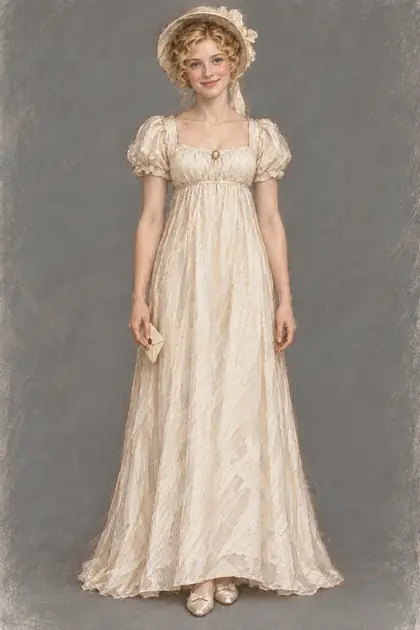
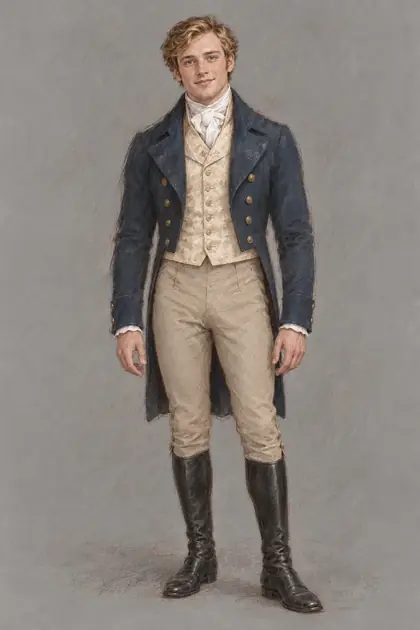
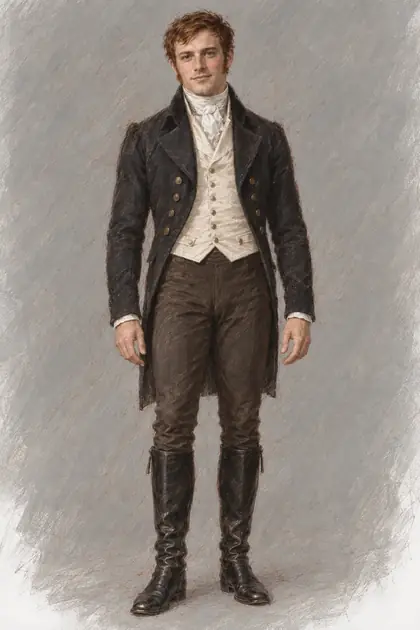
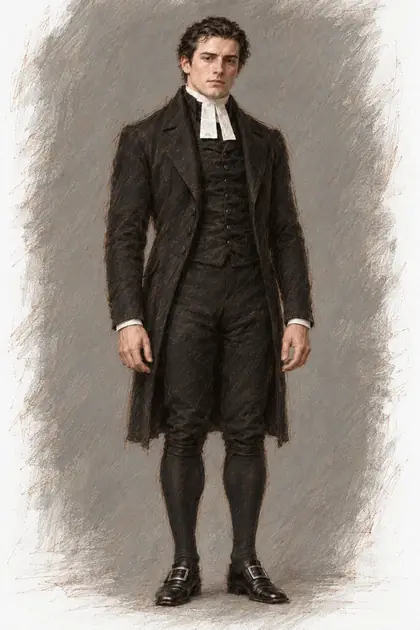
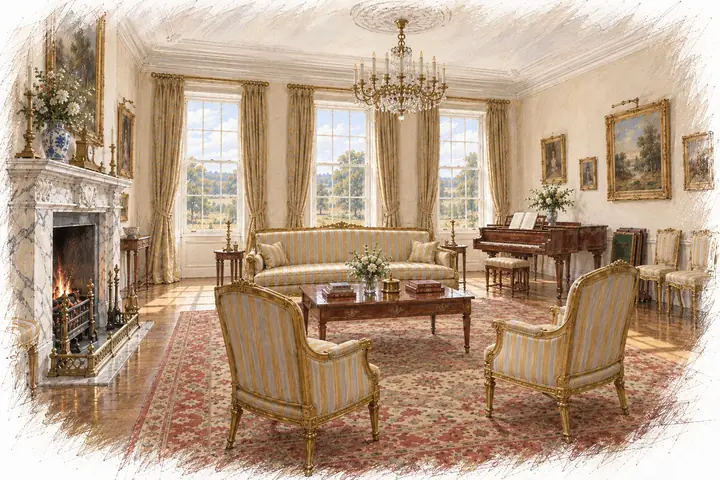
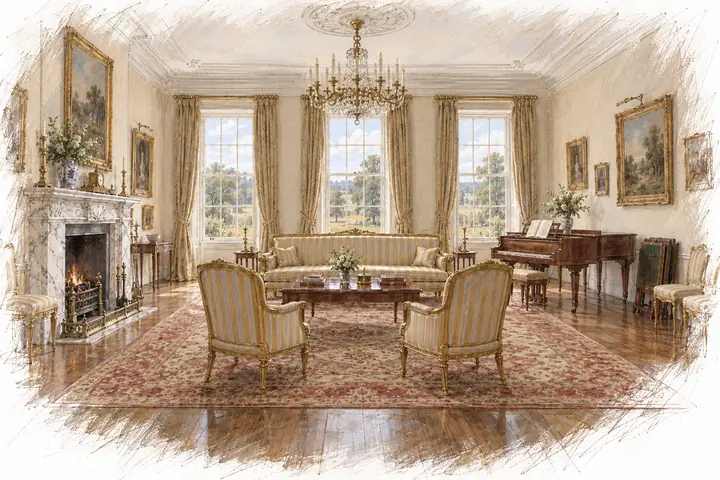
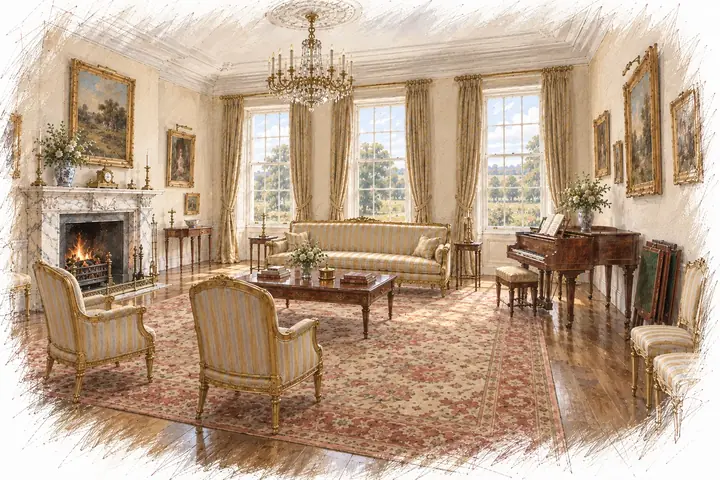
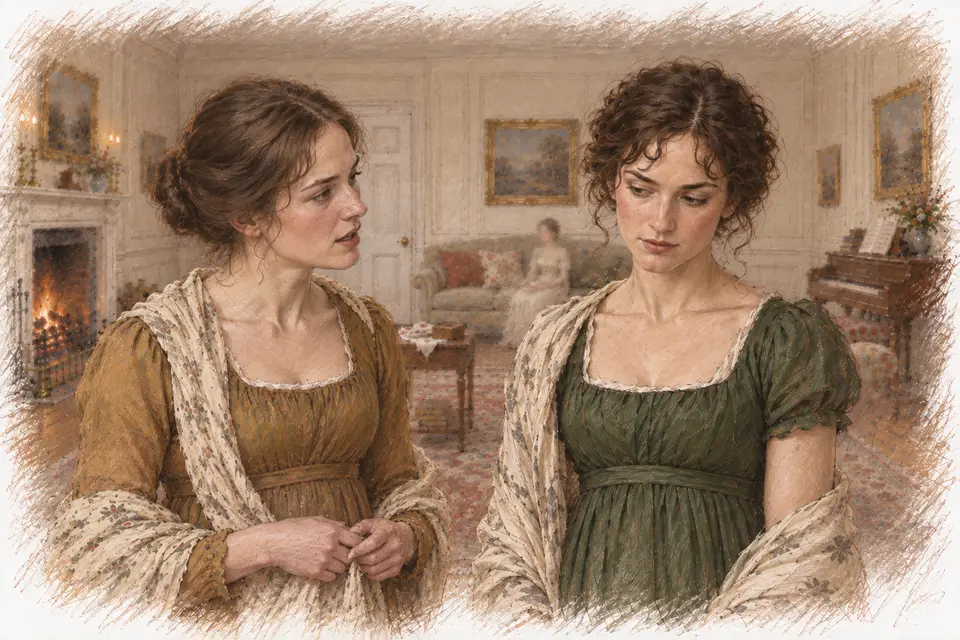
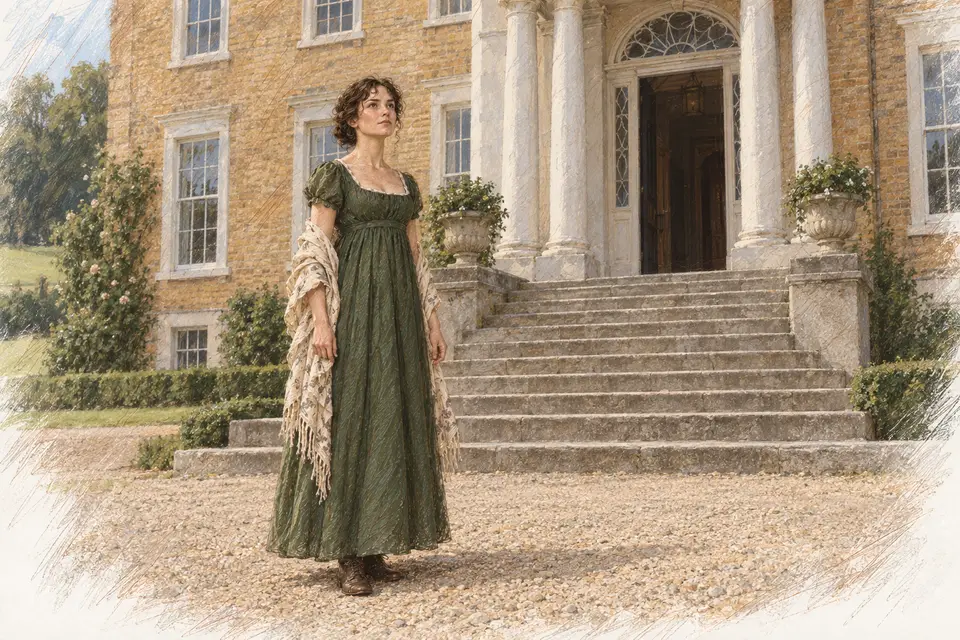
First AuthorCat describes every character and every place: facial features, figure, clothes, furnishings. Then it draws a portrait and a full-length likeness of each character, outfits for specific scenes — and from those, the pictures of the scenes themselves. That is why Elizabeth in chapter 43 is the Elizabeth of chapter 3, and the Rosings drawing-room is the same room in every picture.

  • Twenty built-in drawing styles, from cinematic realism and anime to retro magazine art and classic oil. Describe your own and see a test before you choose
  • As many pictures as needed: only the key moments of a scene or every turn, dozens of pictures per scene. By hand, step by step, or automatically for the whole novel
  • Rooms are remembered: the same furniture and windows from any angle
  • A book with the pictures in place — EPUB and FB2; any picture can be the cover
How the illustrations keep consistent characters → See all 20 illustration styles side by side →
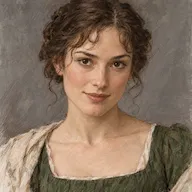
  • Character portrait: Elizabeth Bennet — Pride and Prejudice
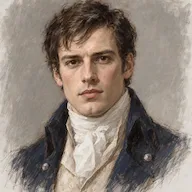
  • Character portrait: Fitzwilliam Darcy — Pride and Prejudice
  • Character portrait: Jane Bennet — Pride and Prejudice
  • Character portrait: Charles Bingley — Pride and Prejudice
  • Character portrait: Mr Bennet — Pride and Prejudice
  • Character portrait: Mrs Bennet — Pride and Prejudice
  • Character portrait: Lydia Bennet — Pride and Prejudice
  • Character portrait: George Wickham — Pride and Prejudice
  • Character portrait: William Collins — Pride and Prejudice
  • Character portrait: Charlotte Lucas — Pride and Prejudice
  • Character portrait: Lady Catherine de Bourgh — Pride and Prejudice
  • Character portrait: Georgiana Darcy — Pride and Prejudice
47 characters — each with a face of their own that holds in every picture
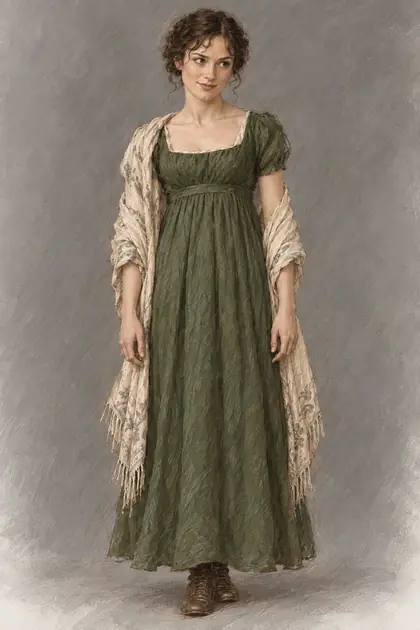
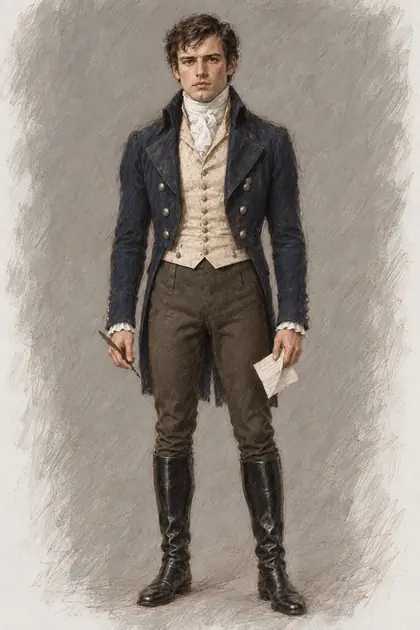
One heroine in six of the 20 built-in styles All 20 styles →
  • Elizabeth Bennet, full length: green dress and cream shawl — Pride and Prejudice
  • Mr Darcy, full length: navy tailcoat and riding boots, a letter in hand — Pride and Prejudice
  • Jane Bennet, full length: white gown, a note in hand — Pride and Prejudice
  • Mr Bingley, full length: blue tailcoat and buff breeches — Pride and Prejudice
  • Mr Wickham, full length: dark tailcoat and boots — Pride and Prejudice
  • Mr Collins, full length: black clergyman’s coat and bands — Pride and Prejudice
Character outfits for specific scenes
  • The drawing room at Rosings: marble fireplace, sofa and piano — Pride and Prejudice
  • The drawing room at Rosings, facing the tall windows — Pride and Prejudice
  • The drawing room at Rosings from the far corner, fire lit — Pride and Prejudice
One drawing-room from three angles. Rosings, the same furniture in every picture
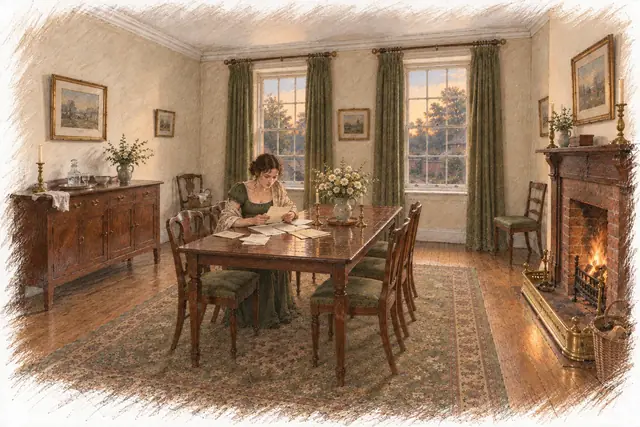
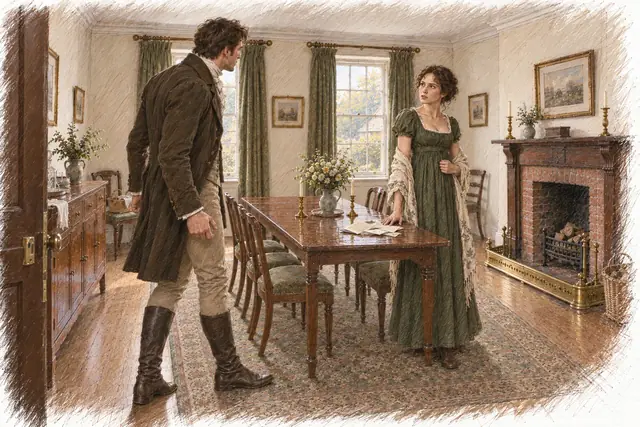
  • Pride and Prejudice, chapter 34, picture 1: Elizabeth alone at the table with her letters1
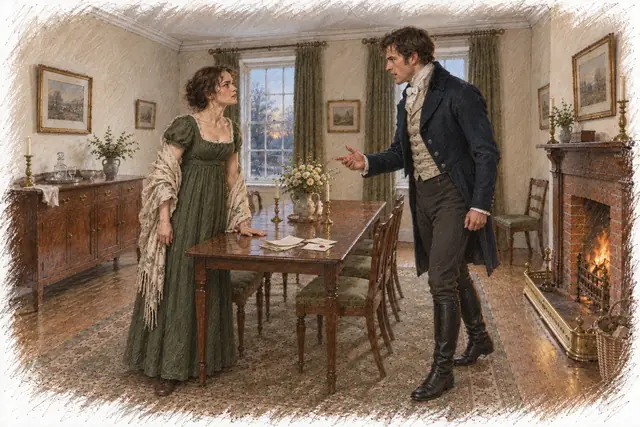
  • Pride and Prejudice, chapter 34, picture 2: Mr Darcy walks into the room; Elizabeth stands by the table2
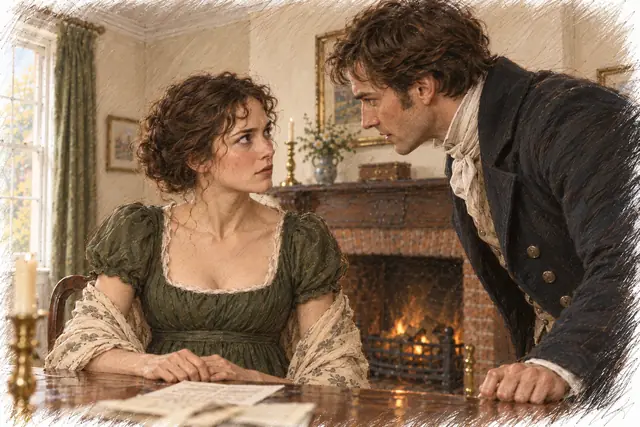
  • Pride and Prejudice, chapter 34, picture 3: Darcy leans toward Elizabeth across the table3
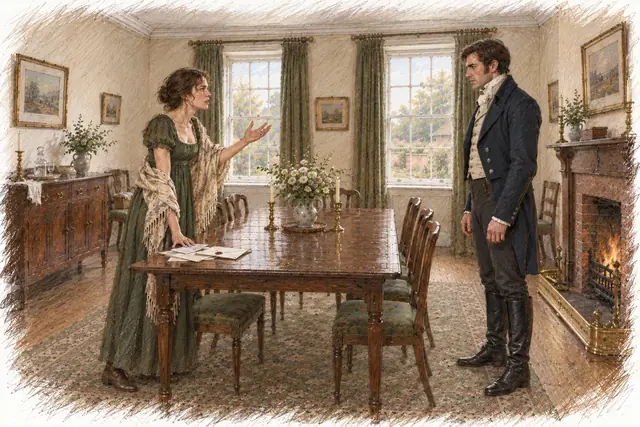
  • Pride and Prejudice, chapter 34, picture 4: Elizabeth answers Darcy, one hand raised4
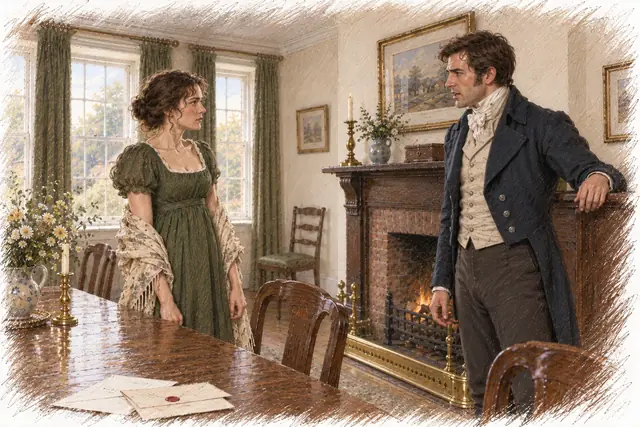
  • Pride and Prejudice, chapter 34, picture 5: Darcy by the fireplace, Elizabeth by the window5
  • Pride and Prejudice, chapter 34, picture 6: Darcy argues, gesturing toward Elizabeth6
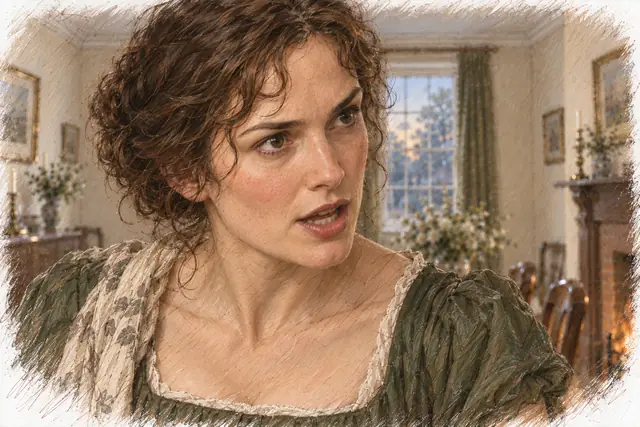
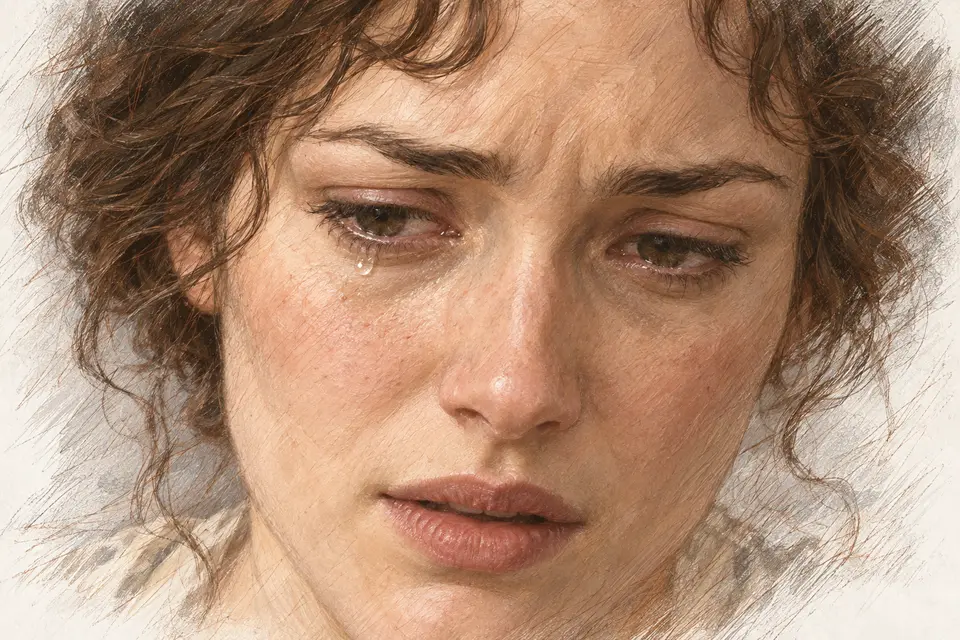
  • Pride and Prejudice, chapter 34, picture 7: Close-up of Elizabeth giving her answer7
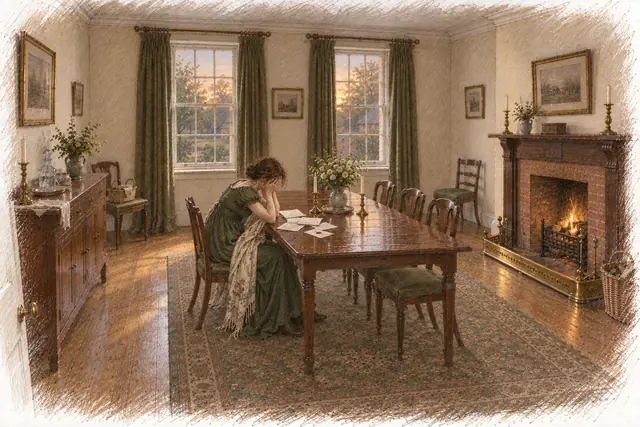
  • Pride and Prejudice, chapter 34, picture 8: Elizabeth alone at the table, head in her hands8
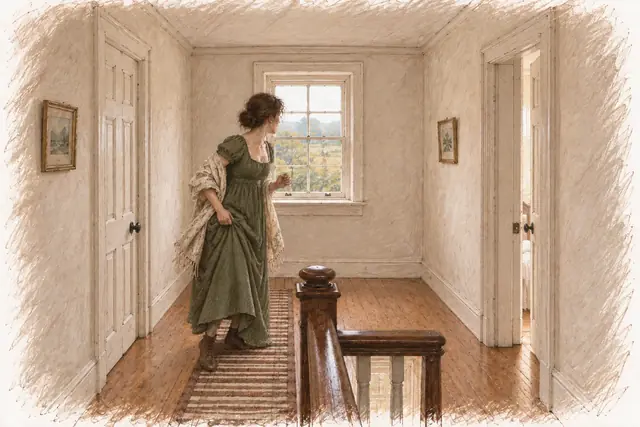
  • Pride and Prejudice, chapter 34, picture 9: Elizabeth at the landing window9
One scene — nine pictures. Chapter 34, Darcy refused
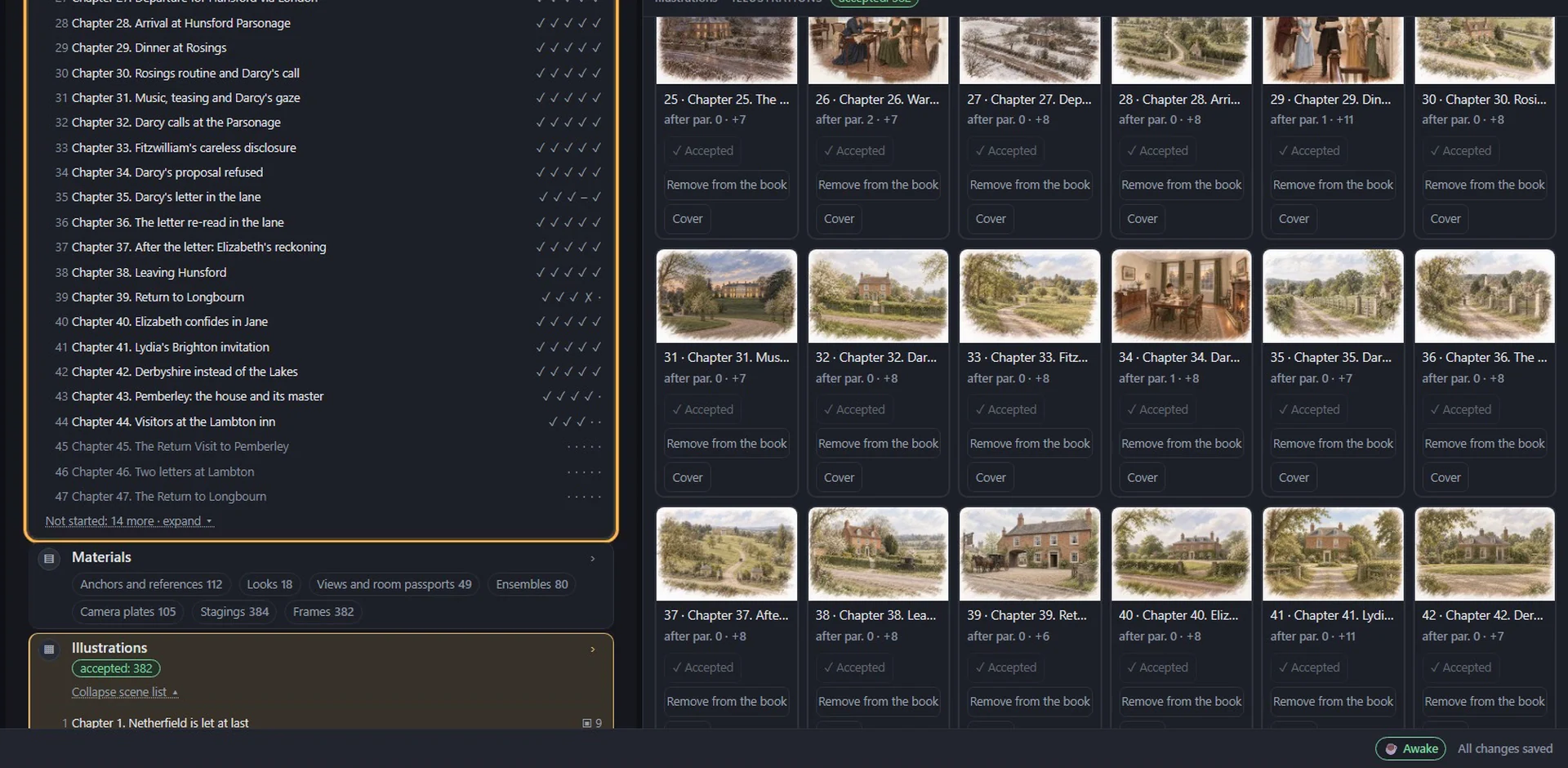
How it looks in the workspace: scene description → outfits → shot plan → backgrounds → pictures
Stage 6 · Promote

A novel that is read on screen

From an illustrated scene AuthorCat builds a “live reading”: the text in phrases under the pictures, camera motion, music composed for your novel. Formats for TikTok, Instagram, YouTube and Facebook — vertical, wide, carousel. Ready to post.

  • “Read a piece” — one scene; a digest — several scenes in a row; a diptych — two pictures and a line; meet the characters and places
  • Novel music: the AI writes the brief for the composer from your plot, one call per track
  • Your logo or ours; captions highlighted or the current phrase only
Live reading — a fragment of the chapter 1 issue, built in AuthorCat
The issue wizard: tempo, layout, captions, music, formats
Translation

Your novel in another language

A separate space, “My translations”. Upload the book as a file or as scans. AuthorCat reads it first: the chapter structure, a translation passport and guide, and a glossary of names and terms from the book’s world — each entry with up to three sentences of the original from different chapters. Then a sample chapter, and the whole book block by block, with your edits.

  • Every block goes through four steps: a translator, an editor who does not see the original, a meaning check, and a native reader who fixes what a native speaker would not say
  • The glossary keeps names and realia the same from chapter to chapter; an assistant helps in the glossary and in every chapter
  • Polishing with a critic from another model; export to DOCX, EPUB, FB2, MD or TXT
Translation mode in AuthorCat: an English passage, its Spanish translation and the glossary — a frame from the AuthorCat film
A frame from the AuthorCat film: the original, the translation and the glossary
Screening room

See how it works

Four more clips: the real interface, real novels. Only the waiting for models is sped up.

Coming soon The living book
A novel from a voice memoDraft → canon → three ways to write: by hand, from a scene plan, on autopilot → illustrations → analysis → export
Pride and Prejudice: 61 chapters from a fileUnpacking → illustrations → seven views of analysis → live reading → EPUB with pictures
The tension curve of Pride and Prejudice — a playback from the workspaceThe video AuthorCat saves from Analysis: tension across 61 scenes, places, characters and a picture of every scene
The panorama of Pride and Prejudice — every place of the novel in one flightA video from Analysis: the camera travels the map of places scene by scene, with the picture and the characters of every scene

The workspace speaks English, Russian, German, French and Spanish. The first clip has a voice-over in English and subtitles; the others are music only. Turn the sound on from the player.

AI models

Runs on your subscriptions, not on tokens

You already pay for Claude or ChatGPT. AuthorCat connects those subscriptions to your novel through a small app called Bridge — and adds no markup on models. No token meters.

By subscription

  • Claude CodeOpus 5.5, Fable 5.1, Sonnet 5
  • ChatGPT / CodexChatGPT 6 Astra, Sol, Luna
  • Gemini · AntigravityGemini 3.8 Flash, 3.1 Pro
  • GrokGrok 4.7
  • Muse Code · MetaMuse Wonder 1.0, Muse Spark 1.3
  • Kimi CodeKimi K3, K2.7 Code
  • OpenCodethe models of your sign-in

By API key

OpenRouter (300+ models: DeepSeek, Qwen, Kimi, Mistral, Llama), Z.ai, and Anthropic, OpenAI, Gemini, xAI and Meta keys.

Mix them

Claude plans, ChatGPT writes, Gemini judges. Every role picks its own model in the novel settings. One subscription works too.

What runs on a subscription and what is paid separately

  • Text, canon, plot, analysis, proofreading, picture briefs Subscription
  • Illustrations ChatGPT subscription (via Codex) or an OpenAI key
  • Voice memo transcription xAI, Gemini or OpenAI key — about $0.10 per hour of speech with xAI
  • Music for clips Gemini key (Lyria; no free tier)

No markup on models in any case. We do not resell tokens.

How to write a novel on your ChatGPT or Claude subscription →

One novel in AuthorCat

Pride and Prejudice — what it looks like after unpacking and illustration

  • 61scenes
  • 47characters with faces
  • 18places
  • 728illustrations in one style
  • 7views of analysis
  • 32plot lines

What it costs

Free

while the beta runs

  • Every capability of the studio
  • Models through your own subscriptions, not through us
  • Post-beta pricing announced in advance
Start free

The short answers

What is AuthorCat?

AuthorCat is an AI studio for storytellers: from the first idea to a finished illustrated book, plus the posts, pictures and videos that promote it on social media. A novel goes through six stages: write, unpack a finished manuscript, analyze the plot, edit, illustrate every scene with the same faces and places, and promote — clips for TikTok, Instagram, YouTube and Facebook with captions and hashtags. A separate mode translates a finished book into another language. No per-token API fees: it runs on the Claude or ChatGPT subscription you already have.

Do I need to be technical?

No. One-click install, then an ordinary window in your browser.

Which computers does it run on?

You need Bridge, a small app for Windows 10/11 (64-bit) or a Mac with Apple silicon (M1 or later) that connects your AI subscriptions. The workspace itself opens in your browser.

Which AI does it use?

Yours. Subscriptions: Claude Code, ChatGPT / Codex, Gemini (Antigravity), Grok, Muse Code, Kimi Code, OpenCode. By API key: OpenRouter (300+ models), Z.ai, Anthropic, OpenAI, Gemini, xAI, Meta. You are responsible for following each provider’s terms, including limits on automated use and third-party tools. Terms of Service, section 7

Can I use my ChatGPT or Claude subscription instead of an API key?

Yes, and it is the recommended way. The Bridge app on your computer connects AuthorCat to the agent apps you already pay for: Claude Code, ChatGPT / Codex, Gemini (Antigravity), Grok, Muse Code (Meta) and others. Writing, canon building, analysis and proofreading run on that subscription, with no per-token fees. An API key works too, but only for one-shot requests: building the canon and the autopilot need an agent app. Writing a novel on your subscription

What do I still pay for separately?

Only what subscriptions do not cover: voice memo transcription (an xAI, Gemini or OpenAI key) and music for clips (a Gemini key). Illustrations run on a ChatGPT subscription or an OpenAI key. No markup on anything.

Can I upload a novel I have already written?

Yes: TXT, DOCX, DOC, PDF, FB2. The novel is unpacked into scenes and a canon; then analysis, illustrations and clips.

Does it keep a story bible?

Yes, it is called the canon: the premise, the style guide, the characters, the places and the rules of the world. The agents rely on it in every scene, and after every accepted scene the character and world cards update automatically. A coherence check shows contradictions between the cards. For a finished manuscript the canon is built from the text itself.

Can it analyze my manuscript: plot, pacing, contradictions?

Yes. The analysis is built from the text: a scene-by-scene reverse outline, a tension curve that shows the flat stretches, which characters are on stage in each scene, and “guns on the wall” — every promise to the reader and whether it is kept. Proofreading checks the whole novel for style, repetition, transitions between scenes and logical inconsistencies, such as actions or facts that contradict the text.

Will the AI write instead of me?

Exactly as much as you ask: from hints to a whole novel from your plan. Nothing enters the book without your approval; any scene can be rewritten or rejected as many times as you like.

Can I dictate a novel or start from voice memos?

Yes. Upload audio recordings to the draft together with notes and files: they are transcribed, and the canon and the scene plan are built from them. Transcription needs an xAI, Gemini or OpenAI key — about $0.10 per hour of speech with xAI.

Whose texts and pictures are these?

Yours. The manuscript and the illustrations belong to you during the work and after it.

Which languages does it work in?

Five: English, Spanish, French, German and Russian. Not only the interface: each language has its own complete set of prompts, so the agents plan, write, analyze and proofread in the author's language rather than translating through English. Your canon, plan and scenes stay in your language. You choose the language when you install AuthorCat Bridge. Five languages

Can it translate my novel?

Yes. Translation mode carries a book into another language: AuthorCat builds a glossary of names and terms from the book’s world and a translation guide, then translates block by block — every block goes through a translator, an editor, a meaning check and a native reader. Export to DOCX, EPUB, FB2, MD or TXT.

How many pictures can I make?

From character portraits to a picture for every turn of every scene. Pride and Prejudice has 728 pictures for 61 chapters.

How do the illustrations keep the same characters?

Before any scene is drawn, AuthorCat describes every character and place in words and makes a reference for each: a portrait and a full-length likeness of every character, a view of every place. Every scene illustration is made from these references and checked against them, so a heroine has the same face from the first chapter to the last and a room has the same furniture when viewed from any angle. See consistent characters across a whole novel

Can it make videos to promote my book?

Yes. From an illustrated scene AuthorCat builds a live-reading clip: the text displayed phrase by phrase under the pictures, camera motion and music written for your novel. Clips come in formats for TikTok, Instagram, YouTube and Facebook, with post captions, a YouTube title and hashtags for each platform. Music needs a Gemini key.
Start with a single scene

The first chapter can be finished the same day.

Windows 10/11 (64-bit) and Macs with Apple silicon (M1 or later).

Sign in with your Google account — no invitation needed.