AuthorCat / AI subscriptions
AI modelsWrite a novel on the ChatGPT or Claude subscription you already have
You already pay for ChatGPT Plus or Claude Pro. AuthorCat puts that subscription to work on your novel: the canon, the plot, the scenes, the analysis, the proofreading. No API key, no second bill, no per-token meter.
With a subscription — recommended
- The agent app you already pay for — Claude Code, Codex, Muse Code and others — works on your own computer.
- No per-token bills: you work within your plan’s usage limits, which the provider sets.
- The agent builds the canon, reviews the card file and runs the autopilot.
With an API key
- Billed per token, separately from any ChatGPT or Claude plan.
- Handles one-shot requests, such as writing a scene.
- No agent: you fill in the canon cards yourself, and the autopilot needs an agent app.
How your subscription connects to your novel
- In your browserThe AuthorCat workspaceYour novel, its canon, plan and scenes. You assign tasks here.
- On your computerAuthorCat BridgeA small app for Windows or Mac that links the workspace to the AI apps on the same computer.
- On your computerClaude Code, Codex, Muse Code …The provider’s own app, signed in to your subscription. It does the work.
You sign in to your subscription once, inside the provider’s own app. After that AuthorCat picks it up automatically and sets the model, the effort and the mode on every call itself, so there is nothing to configure in the app. AuthorCat does not provide, resell or access your provider credentials.
Set it up once
-
Install AuthorCat Bridge. Download it from your AuthorCat account and run the file: it installs itself, with no administrator rights. Windows 10 and 11 (64-bit) or a Mac with Apple silicon (M1 or later); on a Mac, unzip it and move the app to Applications.
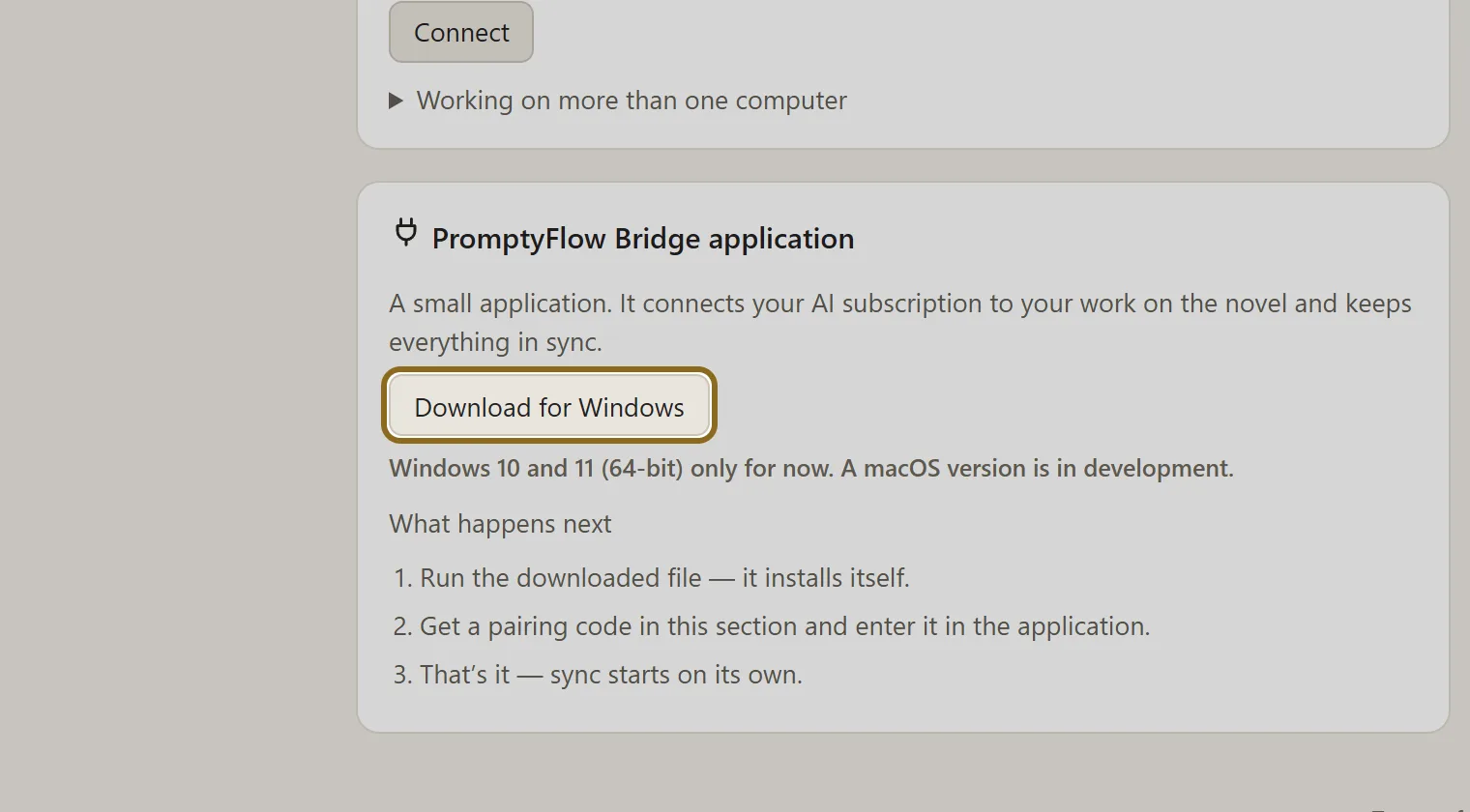
The AuthorCat Bridge application block in the account: Download for Windows Swipe across the picture to look closer Open the full-size file -
Pair your computer. Click Connect in your account and enter the code in the AuthorCat Bridge window. The code is valid for 10 minutes.
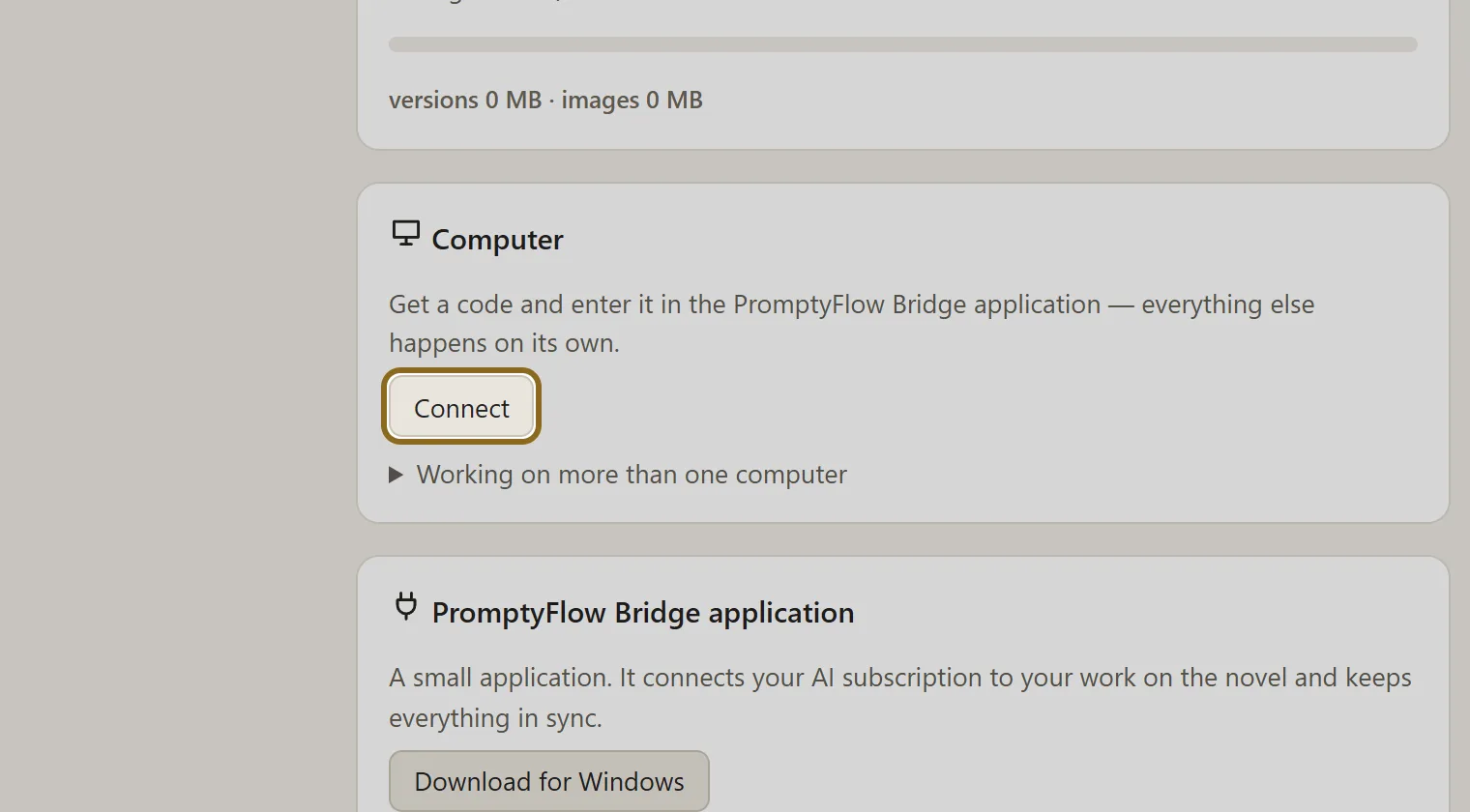
The Computer block in the account: Connect gives a pairing code Swipe across the picture to look closer Open the full-size file -
Install the agent app. In the AI connection window, pick Claude CLI, Codex CLI or another app from the “Agent apps on a subscription” group and click Install. It takes about a minute, needs no administrator rights, and every step of the installer is shown in a window.
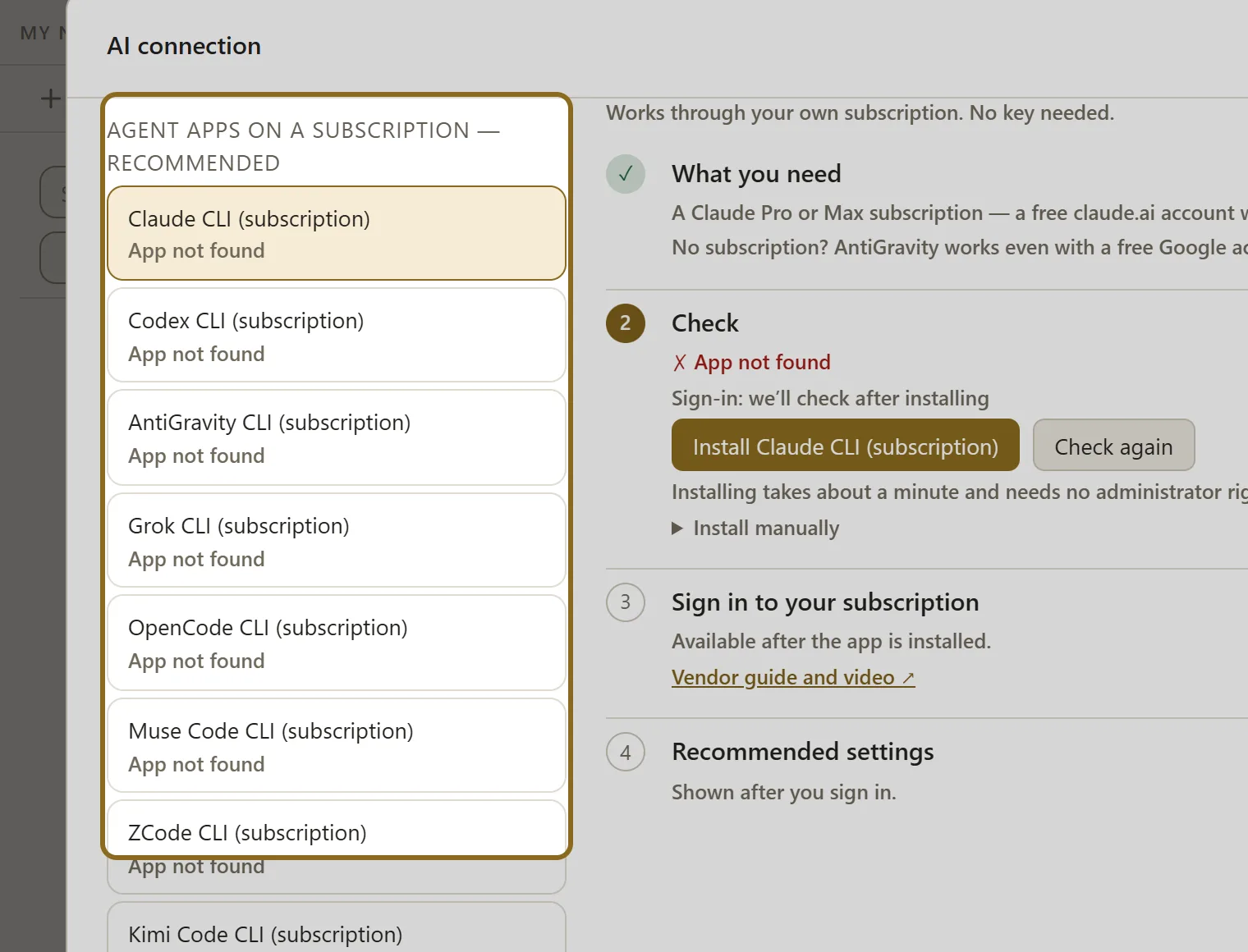
The AI connection window: agent apps on a subscription, recommended, and the steps for Claude Code Swipe across the picture to look closer Open the full-size file -
Sign in once. A terminal window opens; sign in with your Claude or ChatGPT account in the browser. The Check sign-in button sends a short test request to confirm it; from then on the sign-in is picked up automatically.
Installing on Windows
The simplest way to install AuthorCat Bridge is from the Microsoft Store: Windows then installs it without the warning screen described below. If you download the installer from your AuthorCat account instead, read on.

AuthorCat Bridge is digitally signed by its publisher, AuthorCat LLC. Because the app is new, Windows may still show a blue “Windows protected your PC” screen the first time you run the installer. This is Microsoft Defender SmartScreen being cautious about apps it hasn’t seen many times yet. It is not a virus alert.
To continue:
- Click More info.
- Check that the publisher reads AuthorCat LLC.
- Click Run anyway.
If you use Microsoft Edge, it may say the file “isn’t commonly downloaded”. Open the download’s … menu and choose Keep. If Edge asks again, choose Show more, then Keep anyway.
You only see this once: AuthorCat Bridge installs its own updates, and they don’t trigger this screen.
Installing on a Mac
In your AuthorCat account, click Download for Mac, unzip the file and move AuthorCat Bridge to Applications. It needs a Mac with Apple silicon (M1 or later). The app is signed and notarized by Apple, so on first launch macOS only asks whether you want to open it.
Step by step with screenshots: How to connect your computer and How to connect your AI.
Which subscriptions work
| Agent app | What you need | Models |
|---|---|---|
| Claude Code | Claude Pro or Max. A free claude.ai account won’t work. | Opus 5.5, Fable 5.1, Sonnet 5 |
| Codex (ChatGPT) | ChatGPT Plus or Pro; Business and Enterprise plans work too. | ChatGPT 6 Astra, Sol, Luna |
| Antigravity (Gemini) | A regular Google account, even a free one; Google AI Pro gives you more quota. | Gemini 3.8 Flash, 3.1 Pro |
| Grok | SuperGrok or X Premium Plus. | Grok 4.7 |
| Muse Code (Meta) | A Meta account with a Muse Code subscription. | Muse Wonder 1.0, Muse Spark 1.3 |
| Kimi Code | A Kimi Code subscription. | Kimi K3, K2.7 Code |
| OpenCode | A subscription with one of the providers OpenCode works with, such as ChatGPT or GitHub Copilot. | The models available to your account |
By API key: OpenRouter (300+ models: DeepSeek, Qwen, Kimi, Mistral, Llama), Z.ai, and Anthropic, OpenAI, Gemini, xAI and Meta keys.
What runs on the subscription, and what is paid separately
| Work | Runs on |
|---|---|
| Text, canon, plot, analysis, proofreading, picture briefs | Subscription |
| Illustrations | ChatGPT subscription (via Codex) or an OpenAI key |
| Voice memo transcription | xAI, Gemini or OpenAI key — about $0.10 per hour of speech with xAI |
| Music for clips | Gemini key (Lyria; no free tier) |
No markup on models in any case. We do not resell tokens. Illustrations with the same faces in every chapter: AI book illustration with consistent characters →
A whole novel on a subscription
Unpacking the 61 chapters of Pride and Prejudice into scenes and a canon takes a few hours on subscription models, running in the background, with no API keys and no per-token bills.
Your plan, your provider’s rules
The subscription stays yours: the agreement is between you and the provider, and the provider sets your plan’s usage limits. You are responsible for following each provider’s terms, including any limits on automated use and on third-party tools. AuthorCat does not provide or resell access to any provider. Details: Terms of Service, section 7.
Questions about subscriptions
Can I write a novel with my ChatGPT Plus subscription?
Yes. In AuthorCat, open the AI connection window, install the Codex app and sign in with your ChatGPT account. ChatGPT Plus or Pro works, and so do Business and Enterprise plans. Codex then writes scenes, builds the canon and runs the autopilot, and the same subscription draws the illustrations.
Can I use my Claude Pro subscription for fiction writing?
Yes, through the Claude Code app. You need a Claude Pro or Max plan; a free claude.ai account won’t work. Claude Code plans the novel, writes the scenes and builds the canon. For illustrations, add a ChatGPT subscription or an OpenAI key.
Do I need an API key?
Not for writing. A key is needed only for what subscriptions do not cover: voice memo transcription (an xAI, Gemini or OpenAI key) and music for clips (a Gemini key). Without any subscription, an access key handles one-shot requests; then you fill in the canon cards yourself.
Does AuthorCat see my ChatGPT or Claude password?
No. You sign in through the provider’s own app on your computer; the sign-in page opens in your browser. AuthorCat does not provide, resell or access your provider credentials.
Can I mix Claude and ChatGPT in one novel?
Yes. You can choose a model for each role in the novel settings: for example, Claude plans, ChatGPT writes, Gemini judges. One subscription is enough too.
Does it work on a Mac?
Yes, on Macs with Apple silicon (M1 or later). AuthorCat Bridge also runs on Windows 10 and 11 (64-bit). The workspace itself opens in your browser.
Is there a markup on models?
No. AuthorCat does not resell tokens and adds no markup; the provider bills you for your own plan, as before. AuthorCat itself is free while the beta runs.
Read next
Put your subscription to work in AuthorCat
AuthorCat is an AI studio for storytellers: write, analyze, illustrate, translate and promote a novel in one workspace. The beta is open and free.
Start free See everything AuthorCat does
Windows 10/11 (64-bit) and Macs with Apple silicon (M1 or later).